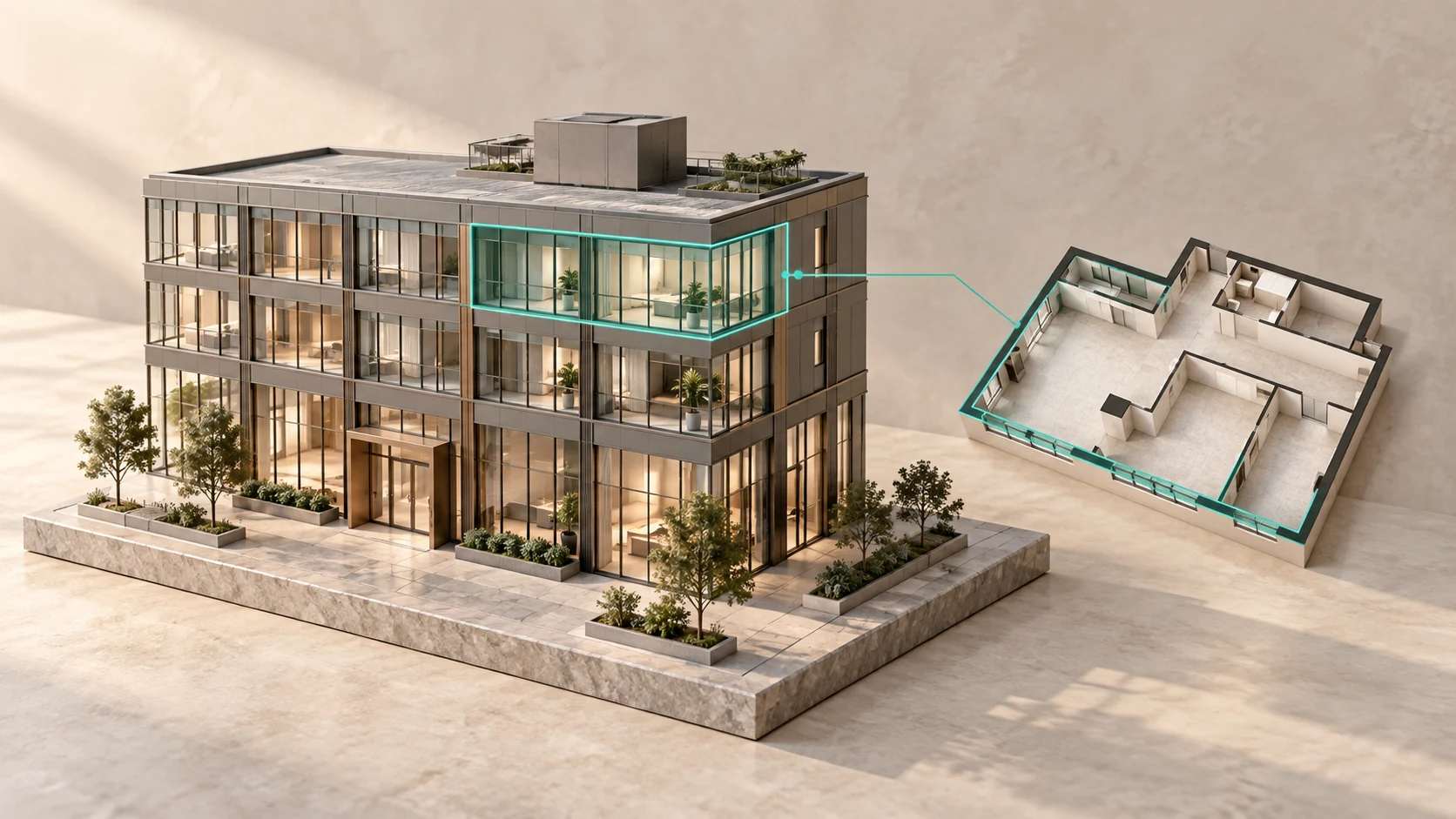
Office Layout Types: Open Plan, Private Offices, Combined and Hybrid Formats

There is no universally ideal office layout. An open-plan office supports teamwork and makes efficient use of space; private offices provide privacy; a combined format brings together the strengths of both; and a hybrid office can reduce the number of permanently assigned workstations.
In practice, the layout should reflect the company’s workflows rather than fashion. If employees spend much of the day on video calls, an open space will quickly become noisy. If departments rarely interact, a large open-plan area will not turn them into a team. Conversely, dozens of private offices can hinder communication where decisions need to be made quickly.
A good layout answers several questions at once:
- where employees carry out focused work;
- where short discussions take place;
- how clients and partners are received;
- how many people use meeting rooms at the same time;
- whether executives can work in private;
- how the office will evolve with the company.
We will examine the main office layout types, their advantages and disadvantages, and identify which formats suit different kinds of business.
What Is an Office Layout?
An office layout is more than the arrangement of desks, rooms and partitions. It determines how people move through the premises, communicate, hold meetings, receive visitors and access shared areas.
A layout includes:
- workstations;
- private offices;
- meeting rooms;
- phone booths;
- reception;
- visitor areas;
- a kitchen or café;
- a cloakroom;
- breakout and relaxation areas;
- the server room;
- storage areas;
- internal circulation routes;
- technical rooms.
The same 1,000 sq m office can be organised in entirely different ways. One design may accommodate 120 workstations with minimal shared space; another may provide space for 70 employees, several meeting rooms, executive offices, a café and a formal lounge.
Before developing the layout, determine the team size and understand how much office space is required per employee. Only then can the appropriate spatial format be selected.
Main Types of Office Layout
Modern offices most commonly use five formats:
- Private-office layout.
- Open-plan layout.
- Combined office.
- Activity-based office — spaces designed for different activities.
- Hybrid layout with unassigned workstations.
In practice, these types are rarely found in a pure form. Even a conventional open-plan office includes private rooms, meeting rooms and quiet rooms, while a private-office layout may include a shared project area.
It is therefore more useful to choose the right balance between open, enclosed and shared spaces than to focus on the layout’s label.
Private-Office Layout
A private-office layout consists of separate rooms designed for one employee, an executive or a small team.
A corridor connects the private offices, meeting rooms and service rooms. Workflows are physically separated by partitions.
Advantages of a Private-Office Layout
The main advantage is privacy.
Private offices make it possible to:
- hold confidential conversations;
- reduce background noise;
- adjust lighting and temperature;
- separate departments;
- restrict access to documents;
- create a calm environment for focused work.
This format suits law firms, financial institutions, government bodies, consultancies and businesses whose employees regularly handle confidential information.
It is also convenient for executives and specialists who hold many one-to-one meetings.
Disadvantages of Private Offices
The main disadvantage is the comparatively inefficient use of space.
Each office requires walls, a door and separate access from a corridor, so part of the floor area is inevitably used for circulation.
Other disadvantages include:
- less interaction between departments;
- less flexibility when team composition changes;
- less visibility for managers into overall working dynamics;
- natural light may be limited to rooms along the façade;
- reconfiguration requires construction work.
A private-office system becomes particularly inconvenient when employees continually move between rooms for brief discussions.
Open-Plan Layout
An open-plan office is a large workspace without permanent partitions between employees or departments.
Workstations are arranged in groups, while meeting rooms, executive offices and technical rooms are placed around the perimeter or within the interior of the floor.
Why Open-Plan Offices Became Popular
An open-plan layout accommodates more workstations in the same floor area and allows them to be rearranged more quickly.
As needed, it is possible to:
- bring several teams together;
- expand a department;
- rearrange furniture;
- create a project team;
- free up part of the space;
- change circulation routes.
Open-plan offices are often used by technology, creative, advertising and operational companies. They suit teams that need to exchange information quickly.
Advantages of Open-Plan Offices
The main advantages include:
- efficient use of floor area;
- flexible furniture arrangements;
- rapid exchange of information;
- visual connection between teams;
- easier scaling;
- equal access to shared areas;
- the ability to change department structures quickly.
An open-plan space can also make better use of natural light, as panoramic windows are not completely blocked by office partitions.
Disadvantages of Open-Plan Offices
An open-plan layout performs poorly if no alternative spaces are provided.
The main problems are:
- conversations disrupt focused work;
- video calls create constant background noise;
- employees lack privacy;
- respiratory illnesses spread more easily through the team;
- confidential discussions are difficult to hold;
- workstations become overly uniform.
The main mistake is trying to fit in as many desks as possible without allowing space for meeting rooms, phone booths and quiet areas.
In such an office, employees take calls at their desks and brief discussions become a source of noise for the entire department.
Combined Office Layout
A combined office brings together open-plan areas, private offices and shared spaces.
For example:
- operational teams work in an open area;
- executives work in private offices;
- project teams have dedicated rooms;
- phone booths are provided for calls;
- clients are taken to meeting rooms near reception.
Today, a combined layout is often the most practical option.
It avoids a choice between open plan and private offices by using each format where it is genuinely needed.
Advantages of a Combined Format
- employees can choose a suitable space for each task;
- confidential meetings take place in enclosed rooms;
- workspace is used more efficiently than in a private-office system;
- departments maintain visual connection;
- executives have the privacy they need;
- the office is easier to adapt as the company grows.
Potential Disadvantages
A combined layout requires more careful planning.
If there are too few enclosed rooms, the office effectively becomes a conventional open-plan space. If there are too many private offices, flexibility is lost and more space is devoted to corridors.
Determine in advance:
- how many employees are on calls at the same time;
- how many meetings take place during the day;
- which departments require quiet;
- where visitors are received;
- who genuinely needs a permanent private office.
When choosing an office in Moscow City it is important to check whether the floorplate allows this separation without long corridors and unused areas.
Activity-Based Office: Spaces for Different Tasks
An activity-based office is designed around different work scenarios.
An employee may not have one universal place for the entire day, choosing a zone according to the task at hand.
This type of office includes:
- quiet rooms;
- open work areas;
- spaces for teamwork;
- meeting rooms;
- phone booths;
- project rooms;
- informal areas;
- presentation rooms;
- spaces for individual work.
An employee may work in a quiet zone in the morning, move to a project room during the day and take a free desk near colleagues after a meeting.
Who Benefits from an Activity-Based Office
This format works well in companies where employees regularly switch between activities:
- working independently;
- taking part in team discussions;
- holding video calls;
- meeting clients;
- preparing presentations;
- moving between projects.
An activity-based office requires clear rules. Employees need to understand the purpose of each zone and whether it can be occupied for an extended period.
Without rules, a quiet library quickly becomes a meeting room and project rooms turn into private offices.
Hybrid Office Layout
A hybrid office is designed for a team in which some employees work remotely and come in according to a schedule.
It may contain fewer permanent workstations than the total number of employees.
For example, a company may employ 200 people while no more than 130–150 are in the office at the same time. In that case, there is no need to provide 200 assigned desks.
The space released can be used for:
- meeting rooms;
- project rooms;
- video calls;
- collaborative work;
- training;
- informal meetings;
- events.
Unassigned Workstations
Hybrid offices often use hot desking, a system in which employees occupy any available workstation.
A more controlled approach is to reserve a desk in advance through an app or internal system.
For this format to work effectively, it requires:
- consistent workstation equipment;
- lockers for personal belongings;
- a clear booking system;
- clear wayfinding;
- regular cleaning;
- enough workstations on peak days.
The main problem arises when most employees choose the same days to come to the office. Space should therefore be calculated using peak simultaneous attendance rather than the weekly average.
Comparison of Office Layout Types
| Criterion | Private offices | Open space | Combined | Activity-based | Hybrid |
|---|---|---|---|---|---|
| Privacy | High | Low | Medium to high | Depends on the zone | Depends on the zone |
| Space efficiency | Low | High | Medium | Medium | High |
| Flexibility | Low | High | High | Very high | Very high |
| Noise level | Low | High | Manageable | Manageable | Manageable |
| Teamwork | Limited | Good | Good | Very good | Good |
| Confidentiality | High | Low | High when properly designed | High in enclosed areas | Depends on the number of rooms |
| Reconfiguration cost | High | Low | Medium | Medium | Medium |
| Supports team growth | To a limited extent | Well | Well | Well | Very well |
The table shows general differences, but the actual outcome depends on the proportions of each type of space.
An open-plan office with enough quiet rooms may be more comfortable than a poorly designed combined office. A private-office layout with glazed partitions and shared areas may support teamwork better than a large hall filled with desks.
Which Layout Suits Different Companies
Legal and Financial Companies
Their priorities are confidentiality, acoustics and the ability to hold private meetings.
A suitable option includes:
- private offices;
- small meeting rooms;
- a private executive area;
- a separate visitor route;
- a limited open-plan area for the administrative team.
IT Companies and Software Developers
Developers need a combination of focused and collaborative work.
The optimal solution includes:
- open work areas;
- quiet rooms;
- project rooms;
- phone booths;
- informal spaces;
- small meeting rooms.
A large open-plan office without acoustic separation is rarely comfortable for developers and analysts.
Advertising and Creative Agencies
These teams need spaces for quick discussions, presentations and project work.
Suitable features include:
- open-plan workspace;
- project rooms;
- walls and surfaces for visual materials;
- areas for informal communication;
- rooms for calls and focused work.
Sales Teams and Call Centres
The main challenge is accommodating a large number of workstations while managing noise levels.
Required features include:
- small workstation clusters;
- acoustic screens;
- rooms for team leaders;
- break rooms;
- high-quality ventilation;
- dedicated areas for training and call reviews.
Corporate Headquarters
A headquarters combines several functions: management, employee work, negotiations, receiving partners and hosting events.
A combined or multi-level layout is most commonly used.
When choosing a company headquarters it is important to separate:
- employees’ day-to-day work;
- visitor access;
- executive offices;
- the principal executive area;
- meeting rooms;
- formal reception spaces;
- event space.
Office Layouts for 20, 50 and 100 People
Office for 20 People
A small team usually does not require a complex layout.
Consider providing:
- one shared work area;
- a meeting room;
- an executive office;
- a kitchen;
- a small reception area;
- a phone booth.
If employees frequently meet clients, it is better to add another compact meeting room than enlarge the main work area.
Office for 50 People
With a team of this size, a single large open-plan area may become noisy.
It is better to divide the team into groups of 8–16 people and provide:
- several work areas;
- two or three meeting rooms;
- phone booths;
- a quiet room;
- an executive office or management area;
- a full kitchen;
- spaces for informal work.
Office for 100 People
An office for 100 employees requires comprehensive zoning.
It will usually require:
- several separate work clusters;
- meeting rooms of different sizes;
- rooms for video calls;
- project rooms;
- executive offices;
- a reception and visitor area;
- a kitchen or corporate café;
- a cloakroom;
- the server room;
- storage rooms;
- breakout areas.
At this scale, the layout cannot be planned around desk numbers alone. It must account for people movement and demand on meeting rooms, the kitchen, washrooms and lifts.
How to Address Noise in an Open-Plan Office
Noise is one of the main reasons employees react negatively to open-plan layouts.
The following measures can reduce it:
- sound-absorbing ceiling panels;
- carpeted flooring;
- acoustic partitions;
- soft seating;
- phone booths;
- quiet rooms;
- separation of teams;
- careful placement of circulation routes;
- keeping the kitchen and printers away from workstations.
It is particularly important to separate conversation areas from spaces requiring concentration.
The sales team should not be placed next to analysts or developers. Meeting rooms should not open directly into a quiet work zone, and the main route to the kitchen should run away from desks.
Acoustics should be considered before furniture is installed. Correcting noise problems after occupation is usually more expensive.
Meeting Rooms and Phone Booths
The number of meeting rooms depends not only on team size but also on the company’s communication culture.
If employees hold video calls throughout the day, more small rooms and phone booths will be required.
If the company regularly receives clients, it needs:
- meeting rooms near reception;
- a comfortable visitor area;
- a separate cloakroom;
- a visitor route that does not pass through working departments.
One large meeting room cannot replace several small ones. A 12-person room may be occupied by two colleagues while the rest of the team cannot find a place for a call.
It is more practical to combine different formats:
- single-person booths;
- rooms for 2–4 participants;
- meeting rooms for 6–8 people;
- one large meeting room or conference hall.
How Lighting Affects the Layout
Workstations should ideally receive natural light without exposing employees to glare on their screens.
Planning should take into account:
- window orientation;
- the movement of the sun during the day;
- the depth of the floorplate;
- the position of columns;
- partition heights;
- the need to darken meeting rooms.
Tall opaque offices along the façade can block light from reaching the entire interior of the floor. Combined offices therefore often use glazed partitions.
On upper floors, panoramic glazing becomes an important part of the interior. However, it requires solar shading and appropriate climate zoning. These features are examined in more detail in our article on an office on the top floor of a skyscraper.
How to Choose an Office Layout: A Step-by-Step Guide
Step 1. Define Work Scenarios
Calculate how much time employees spend at desks, on calls, in meetings and collaborating.
Step 2. Divide Employees into Groups
Do not treat the entire company as a single category. Sales, accounting, developers and management use space differently.
Step 3. Calculate the Number of Workstations
Use maximum simultaneous attendance, not just the company’s total headcount.
Step 4. Determine the Need for Enclosed Rooms
Calculate the required private offices, meeting rooms, phone booths, quiet rooms and project areas.
Step 5. Plan Circulation Routes
Separate the routes used by employees, visitors, executives, couriers and technical staff.
Step 6. Review Acoustics and Lighting
Conversation areas should not interfere with focused work, and partitions should not block natural light.
Step 7. Allow for Future Change
Allow room to expand the team, rearrange furniture or change how rooms are used.
Step 8. Test the Layout on the Actual Floor
Take into account the shape of the premises, columns, lift core, windows, service shafts and emergency exits.
Multi-Level Office Layout
If an office occupies several floors, its functions can be distributed vertically.
For example:
- lower level — operational teams and reception;
- middle level — management and meeting rooms;
- upper level — principal executives, strategic meetings and events.
This solution separates circulation flows and access levels. A visitor can reach a meeting room without passing through working departments, while the executive area remains isolated from day-to-day traffic.
A multi-level office requires well-planned internal connections. If employees regularly move between floors, stairs and lifts must be convenient and functions logically distributed.
F-375 Layout Example
The F-375 office penthouse occupies the three upper levels of Federation Tower East. The property has a total area of 2,642 sq m.
The multi-level structure allows the space to be divided by function and level of privacy.
The interior can include:
- employee work areas;
- executive offices;
- spaces for principal executives;
- meeting rooms;
- formal reception spaces;
- event areas;
- spaces for informal interaction.
The upper part of the property sits beneath a glass dome approximately 14 metres high. Rather than serving as a conventional open-plan office, this space can become the architectural centrepiece of the headquarters for meetings, presentations and important corporate events.
A combined multi-level layout is the most natural solution for F-375, bringing together open work areas, private offices, meeting rooms and formal reception spaces.
Common Office-Planning Mistakes
Placing Desks Before Considering Functions
The number of workstations is only one element of the layout. Without meeting rooms, a kitchen and quiet areas, the office will quickly cease to function effectively.
Creating One Large Open-Plan Area
Teams with different responsibilities begin to disrupt one another. The space is better divided into work clusters.
Creating Too Many Private Offices
Excessive partitions increase corridor space, block light and make the office harder to reconfigure.
Failing to Provide Spaces for Calls
Employees hold video meetings at their desks and noise spreads throughout the department.
Failing to Separate Visitors and Employees
Visitors should not have to pass through working areas to reach a meeting room.
Ignoring Peak Attendance
A hybrid office may feel spacious on a normal day but run out of desks when the entire team comes in at once.
Designing Without Capacity for Change
As the team grows, meeting rooms become offices and breakout areas fill with desks.
Which Office Layout Is Best?
For most modern companies, a combined format is the optimal solution.
It makes it possible to:
- retain open work areas;
- provide private offices where privacy is required;
- include meeting rooms of different sizes;
- provide dedicated spaces for calls;
- separate visitors and employees;
- adapt the office as the team grows.
Open plan supports active interaction but requires acoustic control. A private-office layout is convenient for confidential work but uses more space. An activity-based office gives employees freedom of choice but requires clear rules. A hybrid format reduces desk numbers but increases the need for meeting and collaboration areas.
The choice should be based on real work scenarios rather than fashionable labels.
View an example of a multi-level space combining work, management and representative functions on the page for the office in Federation Tower.
Frequently Asked Questions
What Types of Office Layout Are There?
The main types are private-office layouts, open plan, combined offices, activity-based offices and hybrid spaces with unassigned workstations.
Which Office Layout Is Considered Best?
For most companies, a combined format is the most practical: open work areas are complemented by private offices, meeting rooms, phone booths and quiet rooms.
Which Is Better: Open Plan or Private Offices?
Open plan suits active teamwork and flexible seating. Private offices provide quiet and privacy. The choice depends on employees’ tasks and the number of confidential meetings.
What Are the Disadvantages of Open-Plan Offices?
The main disadvantages are noise, lack of privacy, distracting conversations and difficulty holding video calls. Acoustic zoning and enclosed rooms can reduce these problems.
What Is a Combined Office Layout?
It is a format that combines open work areas with private offices, meeting rooms, phone booths and shared spaces.
What Is a Hybrid Office?
A hybrid office is designed for employees who work remotely part of the time. It may have fewer workstations than the total headcount, with the released space used for meetings and collaboration.
How Many Meeting Rooms Does an Office Need?
The number depends on employee headcount and meeting frequency. Several rooms of different sizes are preferable to one large meeting room.
How Should a Headquarters Layout Be Chosen?
Work, management, visitor and representative functions should be separated. A combined or multi-level layout is usually the best fit for a large headquarters.