Smart Office: What It Is, Key Technologies and How to Assess Its Value
A smart office is a workspace where digital services, sensors and automation help manage lighting, indoor conditions, access and the use of rooms. What makes it smart is not a futuristic interior, but practical workflows: finding a meeting room, adjusting the lights or reporting a fault. The features depend on the company’s needs and the building’s technical capabilities.
The key question when choosing a smart office is not “How many gadgets does it have?” but “What everyday problem do they solve?” If employees still have to hunt for an available room, call several people about a stuffy workspace and work out who is responsible for the equipment, screens alone do not make the office more convenient.
This guide explains how a smart office differs from a conventional one, which technologies are genuinely useful to employees and managers, how to introduce them without unnecessary complexity and what to check in an existing workspace. It is an overview of how technology can support office operations, not an offer for a particular equipment package.
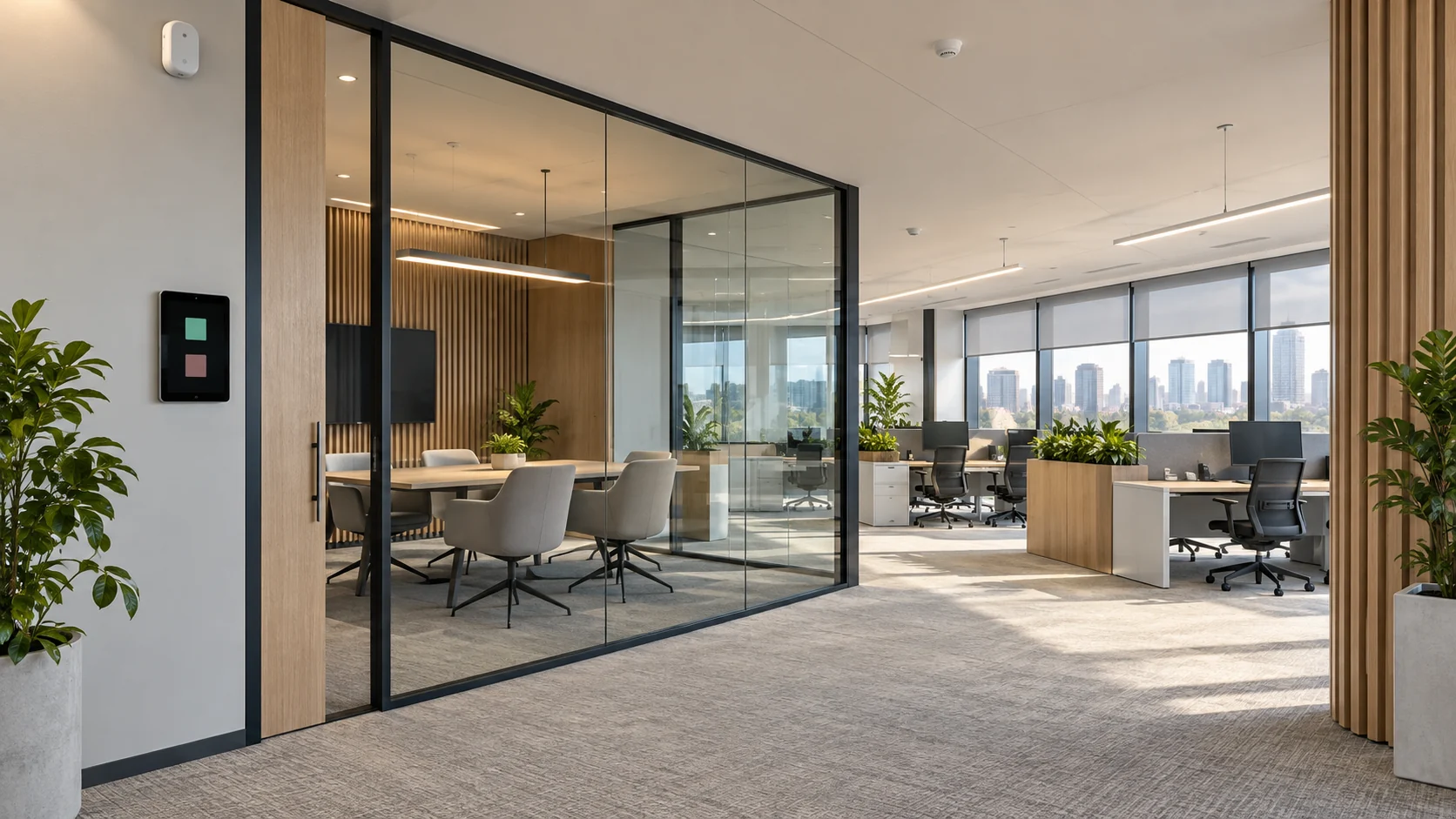
The cover is a conceptual illustration of a smart office, not a photograph or a description of the systems installed at F-375.
What makes an office smart, rather than simply modern?
A smart office connects information with action. A service shows an available room, someone books it, the selected equipment is prepared for the meeting, and the room returns to its designated operating mode afterwards. Not every step has to be automatic: what matters is that the actions are clear and coordinated.
A conventional office can also have good ventilation, quality furniture and electronic access cards. The difference lies in how devices and processes help manage the working environment. For example, a system does more than display a temperature: it lets users send a request to the person responsible and track whether the problem has been resolved.
The term “smart office” does not, by itself, confirm the presence of particular features. Clarify what each proposal includes: what is already installed, what is covered by maintenance, what can be connected and which tasks remain manual. A compelling label is no substitute for a demonstration.
Nor does a smart office have to be controlled by artificial intelligence. Schedules, predefined rules and sensor readings can provide useful automation without complex analytics. Voice assistants, robots and biometrics are possible additions, not essential characteristics of the format.
Smart office, serviced office and open-plan office: what is the difference?
These terms describe different aspects of a workspace. An office can have private rooms, be offered with services and use automation at the same time. Conversely, a large open-plan space with an expensive fit-out may have no digitally managed workflows.
| Term | What it describes | What it does not establish on its own |
|---|---|---|
| Smart office | Technologies and processes for managing the working environment | A specific equipment package or guaranteed savings |
| Serviced Office | Workspace provided with an agreed range of services | Automated lighting, indoor climate control or booking |
| Coworking | A shared-workspace format | A single technology system serving every user |
| Open space | An open-plan layout of working areas | Smart controls or comfort under all conditions |
| Smart building | Management of systems at building level | The ability for a company to change every setting independently |
| Class A office | The property’s characteristics and market positioning | Every advertised smart office feature |
In Russian-language listings, “smart office” can also refer to a ready-to-use private office with services. First establish whether the term describes how the workspace is provided or its automation. The first meaning is explored in more detail in our article on what a serviced office is.
The layout should be selected separately from the technology. The two are related, but an app cannot compensate for a lack of quiet areas or awkward circulation routes. For a comparison of spatial options, see our guide to types of office layouts.
Which technologies are used in a smart office?
A practical set of solutions starts with needs, not a list of fashionable devices. One company needs meeting room booking, another needs lighting controls, and a third needs a straightforward way to work with the facilities team. There is no need to introduce everything at once.
| Task | Possible solution | How to test its value |
|---|---|---|
| Find a place for a meeting | Room calendars, booking and availability displays | Book, cancel and reschedule a meeting without conflicts |
| Control the lighting | Occupancy and light sensors, schedules and manual adjustment | Check operation in daylight and while someone works quietly at a desk |
| Understand indoor conditions | Environmental monitoring and coordinated climate control | Clarify who responds to readings and employee complaints |
| Hold video meetings | A compatible set of conferencing equipment, displays and controls | Connect with a typical device and check the audio from the remote participant’s end |
| Report a fault | A service request system with assigned responsibility and progress tracking | Submit a test request and follow its route |
| Assess how the office is used | Data on space utilisation and resource consumption | Understand exactly what is measured and which decision it can inform |
The table presents possible workflows, not a mandatory specification. A simple service with clear rules can be more useful than a large platform that nobody uses. Compatibility and maintainability matter more than the number of features in a presentation.
How do booking systems and smart meeting rooms work?
A booking shows planned use, while an occupancy sensor indicates observed conditions. These are not the same thing. A room may be booked even though the meeting has been cancelled, or employees may use it without a booking. Decide in advance how the system and its users will resolve these situations.
A room should not automatically be released simply because a sensor has detected no movement. Participants may be sitting still during a video call. The rules for confirming, cancelling and extending a meeting should be clear to users and consistent with the capabilities of the particular solution.
A repeatable workflow matters more in a meeting room than a large screen. Test connections using the team’s devices, microphone selection, audibility for remote participants and whether people can start a meeting without constant IT assistance. Discuss privacy separately: who can see meeting titles, and whether conversations are recorded.
A useful test is to ask an employee who was not involved in the rollout to book a room and hold a test meeting using the instructions. Every point at which they need an explanation becomes a specific item to improve. This is more informative than a demonstration performed only by the supplier’s specialist.
Lighting, indoor climate and sensors: what automation can and cannot do
Automated lighting can respond to occupancy and daylight. However, a poorly selected or configured sensor may switch the lights off while someone is working quietly. Test real activities: reading, typing or joining a call, rather than simply walking through the room.
Monitoring temperature and CO₂ helps collect information about the environment, but a sensor itself neither cools a room nor supplies fresh air. Changing conditions requires suitable building services, coordinated settings and a responsible facilities team. In a business centre, a company may not be entitled to control shared systems independently.
CO₂ readings can provide an indication when assessing ventilation, but they do not confirm that the air is safe in every respect. Results depend on sensor placement, room occupancy and the observation period. A single reading beside an open window does not describe conditions across the entire working area.
Comfort is not determined by temperature alone. Air movement, humidity, solar heat and the type of work all affect how people feel. Employee feedback should therefore complement measurements. If the system reports normal conditions but the team repeatedly complains, that is a reason to investigate, not to close the request by pointing to the display.
Automation cannot fix faulty ventilation, insufficient equipment capacity or poor acoustics. These issues need to be addressed separately. If technology changes involve construction work and building services, include them in an agreed project; the general sequence is covered in our article on office fit-out.
Does a smart office need AI, cameras and biometrics?
No: these technologies are not essential. Many useful actions follow rules, such as switching to a scheduled mode, notifying someone of a fault or allowing a user to cancel a booking. Artificial intelligence is useful where there is a specific task, suitable data and a way to verify the result.
Meeting room utilisation analytics are not a measure of employee productivity. Someone may work on documents outside the office, discuss a project without a booking or hold a short meeting. Access events, occupied seats and calendar entries do not reveal the quality of the work performed.
Before collecting data, define the purpose, the information actually needed, who can access it and how long it will be retained. Consider separately whether the task can be addressed without identifying individuals. For example, understanding how an area is used may require only aggregated data, rather than a record of every employee’s movements.
Cameras, facial recognition and biometric access should not be presented as an inevitable price of convenience. Their necessity, applicable requirements and data handling arrangements should be considered separately with the responsible specialists. This article is not a legal guide to employee surveillance.
How to introduce a smart office without unnecessary complexity
Start with a problem that can be expressed in ordinary language. “Implement IoT” is not a goal. “Employees cannot tell which meeting rooms are available” is a task with a verifiable outcome. You can then agree on the workflow, its users and the criteria for successful operation.
- Gather recurring difficulties reported by employees and the facilities team. Separate technical faults from problems with rules and communication.
- Select a priority workflow and describe it from the user’s first action through to the result.
- Check existing systems, available connections and building constraints. Do not buy equipment before checking compatibility.
- Assign responsibility between the company, the building management organisation and the supplier. Decide who changes settings and handles requests.
- Agree on data handling, support, updates and fallback procedures.
- Run a pilot in a suitable area. Test normal use, user errors and anticipated failures.
- Train users, gather feedback and expand the solution only after reviewing the results.
Some digital services can be introduced in an existing office without major refurbishment. However, changes to electrical supply, ventilation, access or shared systems require a separate technical assessment. It is not possible to promise in advance that every smart office can be created without physical work or approvals.
A pilot is also useful for smaller companies: it reveals whether the selected features are needed at all. If employees keep a parallel calendar in a chat after implementation, investigate why: an awkward interface, unsuitable rules, synchronisation errors or a lack of training.
How much does a smart office cost, and how can its impact be assessed?
There is no universal price per square metre. The budget depends on the tasks involved, existing infrastructure, integrations and maintenance. The same floor area does not imply the same scope of automation: a booking app and changes to building services controls are different projects.
Compare the total cost: surveys, design, devices, installation, configuration, licences, training, support, updates and possible equipment replacement. Clarify what remains available if you change suppliers and what costs arise after the initial agreement ends.
Nor should impact be reduced to a promised savings percentage. Choose measures related to the original task: booking conflicts, repeat requests, equipment availability, request resolution time or resource consumption under comparable conditions. Data collected before and after implementation must be comparable.
If fewer people come to the office or the weather changes, a reduction in energy use cannot be attributed entirely to the new system. If a meeting room becomes more available, check that meetings have not simply been moved to less suitable areas. The assessment should reflect changes to the working environment, not just an attractive chart.
Owners and managers should also distinguish resource consumption from the charges they pay. A technical saving does not automatically reduce every company bill. The components of these costs are discussed separately in our article on office operating expenses.
What happens if the internet connection or equipment fails?
Behaviour depends on the system’s architecture. One solution may retain local controls, while another requires a cloud connection for some functions. Establish this before implementation: the word “smart” implies neither complete independence nor that the entire office must stop working without internet access.
Ask for a fallback procedure for every important function: how to turn on the lights, find a room, submit a request or obtain necessary access during an anticipated failure. The procedure should be usable by an ordinary user, with responsibility for restoring service clearly assigned.
Device security is also part of operations. You need to know which devices are connected, who has administrator rights, how updates are installed and who receives problem notifications. A system that cannot be supported after the contractor leaves creates dependency rather than convenience.
When automating access and building services, do not make unauthorised changes to protective operating modes or disable required systems. Such solutions should be designed, tested and maintained by qualified specialists in accordance with applicable requirements.
Checklist: how to assess an existing smart office
During a viewing or demonstration, ask to see the actions your team will actually perform. Record more than a simple “yes” or “no”: note limitations, the person responsible and unresolved questions.
- Which functions are working now, and which exist only on a development roadmap?
- Can a user start a meeting, change a booking and submit a request without assistance from the implementation team?
- Is it clear which settings are available to employees, administrators and the building management organisation?
- Do the workflows work with the company’s usual devices and software?
- What does the system measure, and what does it merely infer from indirect data?
- What information about employees and visitors is collected, and who can access it?
- What should users do if connectivity is lost, a sensor fails or a booking error occurs?
- Who is responsible for support, licences, updates and subsequent reconfiguration?
- What evidence supports the claimed benefits, and what baseline conditions were used for comparison?
For an office in Moscow City, it is particularly important to distinguish the capabilities of the individual premises from building-wide systems. A business centre’s digital infrastructure does not establish that every function is available within a particular office unit. For general property assessment criteria, see our guide to how to choose an office in Moscow City.
If you are considering the F-375 office penthouse in Federation Tower, request the current equipment specification and discuss the intended technology workflows during a viewing. The systems mentioned in this article are possible solutions for offices in general, not a claim that they are installed in this property.
Frequently asked questions about smart offices
What is a smart office in simple terms?
It is an office where digital services and automation help people use the space and manage its environment: finding meeting rooms, adjusting lighting, monitoring equipment and submitting requests. Practical workflows matter more than the number of gadgets.
How does a smart office differ from a conventional office?
It connects information about the premises and users’ needs with clear actions or automated rules. A conventional office can also be well designed and convenient; the difference lies in how technology supports processes, not just the interior design.
Are a smart office and a serviced office the same thing?
Not necessarily. A serviced office describes the provision of workspace and services, while a smart office describes technology features. Listings sometimes use “smart office” for a ready-to-use private office with services, so clarify the meaning and equipment included.
Is artificial intelligence essential in a smart office?
No. Booking systems, schedules and automated rules can work without AI. It is used for specific tasks where suitable data and a way to verify the result are available; the term “smart office” does not require artificial intelligence.
Can a smart office be created without major refurbishment?
Some digital services can be introduced without major refurbishment. Changes to building services, electrical supply or access require a separate assessment of the premises’ capabilities, compatibility and necessary approvals.
Does a CO₂ sensor confirm that the air is safe?
No. Readings can help assess ventilation, but they do not describe every aspect of air quality. Sensor placement, room occupancy and the measurement period affect the result; a sensor is no substitute for a technical assessment.
Does a smart office guarantee lower costs?
No. The impact depends on the starting conditions, settings, usage and total cost of the solution. It is assessed using comparable data before and after implementation, not a universal savings percentage.
Can a smart office work without an internet connection?
It depends on the solution. Some functions may retain local controls, while others require connectivity. Clarify cloud dependencies and fallback procedures for important workflows in advance.
This article is for general information. The system specification, technical requirements, data handling and operating procedures must be checked for the particular premises and project.

